
Wireless Access Points in Qatar
In the modern digital landscape, seamless internet connectivity is no longer a luxury—it’s a necessity. Whether you are running a business, managing a school, operating a hospital, or simply using your mobile device at home, stable and efficient wireless networking plays a pivotal role. This is where Wireless Access Points (WAPs) come into play.
At Axle Systems, we specialize in supplying high-performance Wireless Access Points in Qatar, enabling businesses and institutions to deliver fast, secure, and uninterrupted wireless internet access to their users. This article will take a deep dive into everything you need to know about Wireless Access Points, including their benefits, features, use cases, and why Axle Systems is your trusted IT & telecom supplier in Qatar.
What are Wireless Access Points?
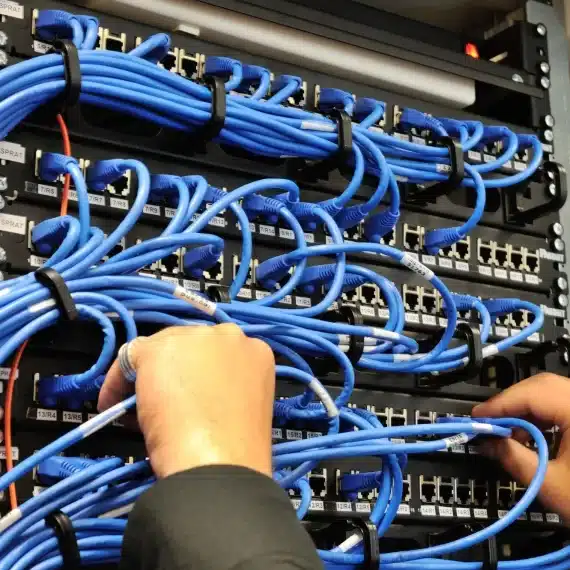
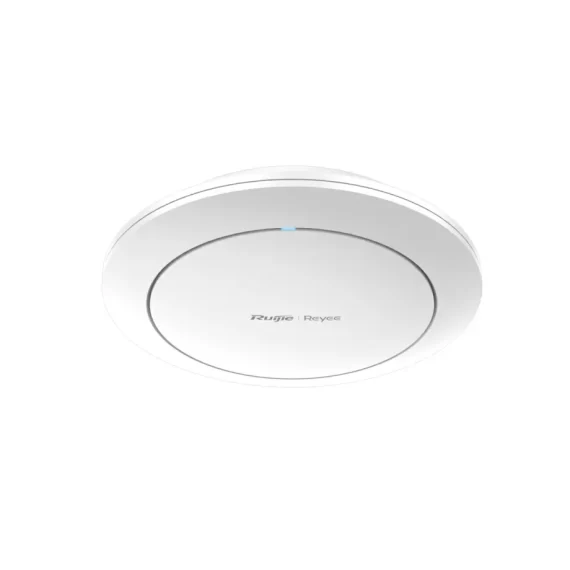
A Wireless Access Points (WAP) is a hardware device that creates a wireless local area network (WLAN), typically in an office, building, or public space. Wireless Access Points connect to a wired network (usually via an Ethernet cable) and then project a Wi-Fi signal to a designated area, allowing wireless devices like smartphones, laptops, and tablets to connect to the internet or network.
Unlike wireless routers, which combine the functionality of Wireless Access Points, switches, and gateways, Wireless Access Points serve as dedicated devices that can extend and enhance wireless coverage, especially in large or complex environments.
Key Benefits of Wireless Access Points
Wireless Access Points (WAPs) play a crucial role in creating and maintaining fast, secure, and reliable wireless networks. They offer a wide range of benefits that are essential for modern businesses, institutions, and even residential settings in Qatar. Below is a comprehensive look at the key advantages of using Wireless Access Points:
1. Expanded Network Coverage and Elimination of Dead Zones
One of the primary benefits of Wireless Access Points is the ability to extend Wi-Fi coverage across large or complex areas. Traditional routers have limited signal strength and are often unable to reach every corner of a building, especially in locations with thick walls, multiple floors, or interference from other electronic devices. Wireless Access Points act as signal repeaters or extenders, ensuring that there are no dead zones where connectivity drops or becomes unreliable.
This makes Wireless Access Points ideal for:
- Multi-floor office buildings
- Large villas and residential compounds
- Schools and universities
- Shopping malls and public venues
By strategically placing multiple Wireless Access Points across a location, users can enjoy uninterrupted access no matter where they are.
2. Scalability for Growing Networks
As businesses expand, so do their networking needs. One of the key advantages of Wireless Access Points is their scalability. You can start with just a few Wireless Access Points and add more devices as your team, space, or user base grows—without having to redesign the entire network infrastructure.
For instance:
- A startup can begin with a single Wireless Access Points and gradually add more as new departments or offices open.
- A school can scale up its access points during exam periods when all students are online simultaneously.
This modular approach helps organizations in Qatar adapt to changing demands and growth trajectories with minimal cost and disruption.
3. Enhanced Security Features
Wireless Access Points are equipped with advanced security protocols to ensure that only authorized users can connect to the network. With cyber threats on the rise, robust security is more important than ever.
Key security benefits include:
- WPA2/WPA3 encryption: Safeguards data during transmission.
- 802.1X authentication: Allows only verified users or devices to connect.
- MAC address filtering: Prevents unknown or unauthorized devices from accessing the network.
- Guest network isolation: Creates a separate network for visitors, keeping your internal network secure.
Businesses, hospitals, and financial institutions can rest assured knowing their data and operations remain protected against unauthorized access and cyberattacks.
4. Better Bandwidth and User Management
Modern Wireless Access Points allow network administrators to manage and optimize bandwidth allocation effectively. Through features like Quality of Service (QoS) and bandwidth throttling, you can:
- Prioritize important applications like video conferencing, VoIP, or ERP systems.
- Limit bandwidth for non-essential services such as media streaming or social media.
- Prevent any single user or device from consuming excessive network resources.
This ensures fair distribution of bandwidth across all users and maintains optimal network performance during peak usage hours.
5. Seamless Roaming Capabilities
In environments with multiple Wireless Access Points, users can move freely without losing their connection. Wireless Access Points with fast roaming protocols ensure that a user’s device automatically switches to the strongest signal source as they move.
Use case examples:
- A doctor walking from one ward to another while accessing a patient database on a tablet.
- A warehouse worker moving around with a barcode scanner or handheld device.
- A student on a campus moving between classrooms while attending an online lecture.
This benefit is especially important in enterprise, healthcare, education, and hospitality environments, where uninterrupted connectivity is critical.
6. Support for High Device Density
In today’s digital world, a single user often connects multiple devices—laptop, smartphone, tablet, smartwatch, etc. Multiply that across an office or school and you quickly run into high-density environments.
Advanced Wireless Access Points are designed to support dozens or even hundreds of simultaneous connections without degrading performance. Features like MU-MIMO (Multi-User, Multiple Input Multiple Output) ensure that multiple devices can access the network concurrently without interference.
This makes Wireless Access Points ideal for:
- Conference rooms and auditoriums
- Airports and event venues
- Smart classrooms and labs
7. Centralized Management and Monitoring
Most enterprise-grade Wireless Access Points come with centralized management platforms, either through on-premise controllers or cloud-based dashboards. These platforms allow IT teams to:
- Configure all access points from a single interface
- Monitor performance and user activity in real time
- Push firmware updates automatically
- Diagnose and troubleshoot connectivity issues remotely
This streamlines operations, reduces downtime, and simplifies network administration, especially for organizations with multiple branches or locations.
8. Power over Ethernet (PoE) Support
Another significant benefit of Wireless Access Points is their support for Power over Ethernet (PoE). This allows both power and data to be transmitted through a single Ethernet cable, eliminating the need for separate power sources.
Benefits of PoE include:
- Easy installation in hard-to-reach places (ceilings, outdoor areas)
- Reduced wiring clutter and lower installation costs
- Flexibility in placing Wireless Access Points in optimal coverage locations
PoE-enabled Wireless Access Points are perfect for environments where aesthetics and space-saving are important, such as retail showrooms and luxury hotels.
9. Cost-Effectiveness Over Time
Although deploying multiple Wireless Access Points may seem like a larger investment upfront, it is often more cost-effective in the long run compared to relying on a single high-end router or unmanaged mesh systems. Wireless Access Points provide:
- Better performance scalability
- Reduced downtime due to reliable signal distribution
- Fewer IT support requests from employees or guests
- Longevity due to modular upgrades rather than full replacements
For growing businesses in Qatar, this is a smart, future-proof investment.
10. Customization and Flexibility
Wireless Access Points offer high levels of customization. Depending on your environment, you can choose indoor or outdoor models, configure signal strength, set SSID broadcasting policies, and segment your networks for different user groups.
Examples:
- A hotel may have different SSIDs for staff, guests, and conference rooms.
- A university might segment access for students, faculty, and administrative staff.
- A retail chain can create separate networks for customer browsing and employee operations.
This flexibility ensures that your wireless network matches your business model and operational needs precisely.
11. Support for IoT Devices and Smart Technologies
With the growing adoption of Internet of Things (IoT) devices—like smart lights, sensors, security cameras, and thermostats—Wireless Access Points provide the infrastructure backbone needed to support seamless IoT communication.
This is essential for:
- Smart homes and residential buildings
- Automated factories and warehouses
- Intelligent transportation systems
- Healthcare facilities with remote patient monitoring devices
Wireless Access Points allow all connected IoT devices to communicate securely and reliably within a unified network environment.
12. Environmentally Friendly Networking
Finally, deploying Wireless Access Points can contribute to more eco-friendly IT infrastructure. With features like energy-saving modes, efficient cooling, and PoE support, they help reduce energy consumption and carbon footprints.
Businesses focused on sustainability can benefit from selecting Wireless Access Points that meet green building certifications or energy efficiency standards.
Features of Wireless Access Points
Wireless Access Points (WAPs) are packed with features that enhance wireless connectivity, performance, security, and management. Whether you’re setting up Wi-Fi for a small business, a university campus, or a luxury hotel in Qatar, understanding the features of Wireless Access Points will help you make an informed choice. Here’s a detailed breakdown of the key features that define modern Wireless Access Points:
1. Dual-Band and Tri-Band Connectivity
Modern Wireless Access Points typically operate on multiple frequency bands—most commonly 2.4 GHz and 5 GHz, and some advanced models add a third band at 6 GHz (Wi-Fi 6E).
- 2.4 GHz Band: Offers broader coverage but lower speeds. Ideal for legacy devices or long-distance signal penetration.
- 5 GHz Band: Provides faster data transmission with less interference. Ideal for high-speed applications like video conferencing, VoIP, or online gaming.
- 6 GHz Band (Tri-Band / Wi-Fi 6E): Newer spectrum that supports extremely high speeds and less congestion, ideal for ultra-dense environments and future-ready networks.
2. MU-MIMO Technology (Multi-User, Multiple Input, Multiple Output)
MU-MIMO enables the Wireless Access Points to communicate with multiple devices at the same time, rather than serving one device at a time sequentially.
- Ideal for environments with many simultaneous users (e.g., offices, classrooms, airports).
- Reduces wait time and network congestion.
- Enhances the user experience for video calls, file transfers, and streaming.
3. Beamforming
Beamforming technology helps the Wireless Access Points focus wireless signals directly toward connected devices, instead of broadcasting signals in all directions.
- Provides stronger and more stable connections.
- Reduces interference.
- Enhances Wi-Fi signal quality for mobile users or devices at the edge of the coverage zone.
4. Power over Ethernet (PoE) Support
Many enterprise-grade Wireless Access Points support Power over Ethernet (PoE), which allows both data and electrical power to be transmitted over a single Ethernet cable.
- Simplifies installation.
- Eliminates the need for separate power adapters.
- Allows deployment in ceilings, hallways, outdoor spaces, or locations without nearby power outlets.
5. Seamless Mesh Networking
Modern Wireless Access Points support mesh networking, where multiple access points work together to form a single, unified network.
- Ensures no dead zones.
- Enables automatic switching between access points (roaming).
- Offers easy scalability by adding more access points to the mesh.
Mesh networking is perfect for:
- Residential complexes and hotels that need full Wi-Fi coverage in every room.
- Retail malls where visitors and staff move across zones.
- Educational campuses with outdoor and indoor areas.
6. Cloud or Controller-Based Centralized Management
Wireless Access Points can be managed using:
- Cloud-based platforms (e.g., Ubiquiti UniFi, TP-Link Omada Cloud, Cisco Meraki).
- Controller-based systems (on-premise hardware or software controllers).
These solutions allow IT teams to:
- Configure all Wireless Access Points remotely.
- Monitor network health in real-time.
- Push updates, block users, or isolate rogue devices.
- Generate usage reports and analytics.
7. Guest Network Creation and Isolation
Wireless Access Points allow you to set up guest Wi-Fi networks that are separate from your internal network.
- Protects internal systems from external threats.
- Offers limited bandwidth or timed access to guests.
- Enables branded login portals and data collection (ideal for hospitality or retail).
8. VLAN Tagging and Network Segmentation
Many advanced Wireless Access Points support Virtual LANs (VLANs), enabling you to segment your network into multiple isolated zones.
For example:
- VLAN 1 for management
- VLAN 2 for staff
- VLAN 3 for guest users
- VLAN 4 for IoT devices
9. High User Capacity
Enterprise-class Wireless Access Points can handle 100+ concurrent connections depending on the model. This ensures reliable connectivity even in high-traffic environments.
Example use cases:
- A university lecture hall with 300 students.
- A stadium during a sports event.
- A trade exhibition with thousands of attendees.
10. Automatic Channel Selection
Wireless Access Points can automatically scan the environment for signal interference and select the optimal channel for performance.
- Avoids interference from nearby networks or electronics.
- Dynamically adapts to changing environments.
- Maintains speed and reliability.
11. Built-In Firewalls and Access Control Lists (ACLs)
Some Wireless Access Points offer built-in firewalls or ACL features, which allow administrators to define who can access which network services or sites.
- Prevents misuse of the network.
- Blocks malicious IP addresses.
12. Scheduling and Energy-Saving Modes
Wireless Access Points can be programmed to automatically turn off or reduce power during non-working hours or weekends.
- Saves energy.
- Reduces wear and tear on hardware.
- Enhances security during off-hours.
A great feature for offices, banks, or learning institutions that follow fixed schedules.
13. Outdoor and Ruggedized Models
Certain Wireless Access Points are built for outdoor use, featuring weatherproof enclosures (IP65/IP67 rated), UV protection, and temperature resistance.
- Suitable for sports arenas, open-air cafes, construction sites, parks, or event venues.
- Ensures high-performance Wireless Access Points even in harsh weather conditions common in Qatar.
14. Advanced Security Protocols
Modern Wireless Access Points offer enterprise-grade security features:
- WPA3 Encryption
- 802.1X RADIUS Authentication
- Intrusion Detection & Prevention Systems (IDS/IPS)
- Secure Boot and Firmware Validation
15. Support for Wi-Fi 6 and Wi-Fi 6E
Wireless Access Points supporting Wi-Fi 6 (802.11ax) and Wi-Fi 6E offer:
- Higher throughput (up to 9.6 Gbps)
- Lower latency
- More simultaneous connections
- Improved battery life for client devices
16. Captive Portals and Social Media Login
Some Wireless Access Points include support for custom captive portals, allowing users to log in through:
- Email verification
- OTP via SMS
- Social media accounts (Facebook, Google)
Uses of Wireless Access Points in Qatar
Wireless Access Points (WAPs) are essential components of any modern wireless network. In Qatar, where rapid digital transformation is taking place across government, education, healthcare, and business sectors, Wireless Access Points serve as the backbone of high-speed wireless connectivity. Whether it’s a luxury hotel in Doha, an educational campus in Al Rayyan, or a logistics warehouse in the Industrial Area, wireless access points provide the reliable internet infrastructure required for smart operations and connected experiences.
Below are the most common and impactful use cases for Wireless Access Points in Qatar:
1. Corporate Offices and Business Centers
In corporate environments, Wireless Access Points provide robust and secure wireless internet access for employees, guests, and IoT devices.
Use Cases:
- Connecting employees’ laptops, tablets, and mobile devices across multiple floors.
- Powering VoIP phones, video conferencing systems, and cloud applications.
- Creating dedicated networks for management, staff, and visitors using VLANs.
- Supporting hybrid workspaces with seamless Wi-Fi for hot-desking employees.
2. Hotels, Resorts, and Hospitality Spaces
Guest satisfaction in hospitality depends heavily on fast and reliable Wi-Fi. Wireless Access Points are installed throughout hospitality facilities to ensure full coverage and seamless guest experiences.
Use Cases:
- Offering high-speed guest Wi-Fi in rooms, lobbies, restaurants, and poolside areas.
- Managing bandwidth for different user tiers (e.g., free vs. premium access).
- Providing Wi-Fi calling, streaming, and IPTV support.
- Ensuring uninterrupted roaming from room to room or across property zones.
3. Schools, Colleges, and Universities
In Qatar’s education sector, digital learning has become integral. Wireless Access Points play a crucial role in enabling e-learning, digital assessments, and staff collaboration.
Use Cases:
- Delivering Wi-Fi in classrooms, lecture halls, libraries, and dormitories.
- Supporting online learning platforms like Google Classroom, Moodle, and Blackboard.
- Allowing students and faculty to access educational content simultaneously.
- Facilitating smart classroom tools, tablets, and projectors..
4. Hospitals, Clinics, and Medical Facilities
Healthcare organizations require constant access to digital records, patient monitoring systems, and internal communication tools. Wireless Access Points offer the connectivity foundation for these critical services.
Use Cases:
- Connecting Electronic Medical Records (EMRs) systems to tablets and computers.
- Supporting wireless nurse call systems, pagers, and medical IoT devices.
- Offering secure guest Wi-Fi for patients and their families.
- Enabling video conferencing for remote consultations or telemedicine.
5. Retail Stores and Shopping Malls
Customer engagement, inventory management, and operational efficiency all depend on wireless connectivity in the retail space.
Use Cases:
- Providing public Wi-Fi to shoppers to enhance footfall and dwell time.
- Enabling POS (Point-of-Sale) terminals and payment gateways.
- Supporting staff handheld scanners, tablets, and customer service kiosks.
- Collecting shopper data via captive portals and marketing analytics.
6. Warehouses, Logistics, and Industrial Sites
In logistics and industrial environments, wireless networks help track goods, manage inventory, and communicate in real-time across large and often rugged spaces.
Use Cases:
- Connecting barcode scanners, handheld devices, and forklifts.
- Supporting warehouse management systems (WMS) and inventory tracking.
- Enabling CCTV camera access over wireless backhaul links.
- Providing connectivity in large open yards or storage areas using outdoor access points.
7. Mosques, Community Centers, and Public Facilities
Wireless Access Points help community institutions enhance visitor services, enable educational outreach, and support operations.
Use Cases:
- Streaming sermons or religious content over internal displays or apps.
- Offering public Wi-Fi for attendees during gatherings or prayer time.
- Supporting internal admin systems like donations, events, and logistics.
8. Residential Villas and Apartment Complexes
In high-end residential areas and apartment buildings, Wireless Access Points help extend Wi-Fi throughout large or multi-level homes.
Use Cases:
- Eliminating dead zones in basements, balconies, and rooftops.
- Providing mesh coverage across multiple floors.
- Connecting smart home devices such as CCTV, voice assistants, and smart appliances.
9. Government Buildings and Municipal Offices
Government services in Qatar are increasingly digital, requiring stable and secure wireless networks in ministries, municipal offices, and public service centers.
Use Cases:
- Enabling e-government services, video conferencing, and document sharing.
- Facilitating staff communication and secure intranet access.
- Offering public Wi-Fi in service areas or reception zones.
- Managing access using identity-based authentication for staff and citizens.
10. Airports and Transportation Hubs
Transportation hubs require fast and scalable Wi-Fi to support travelers, operational staff, and smart infrastructure.
Use Cases:
- Offering public Wi-Fi to thousands of passengers daily.
- Supporting digital signage, information kiosks, and automated check-in systems.
- Powering surveillance systems and logistics tools.
- Assisting in mobile app functionality for navigation and updates.
11. Training Institutes and Learning Centers
Vocational training centers and corporate learning facilities also depend on seamless wireless connectivity to power instructional tools and learning platforms.
Use Cases:
- Conducting live webinars and remote training sessions.
- Accessing training software, simulations, and assessments.
- Enabling learners to connect personal devices to cloud-based resources.
12. Events, Exhibitions, and Stadiums
Large gatherings require temporary yet powerful Wi-Fi setups to support ticketing, media coverage, and attendee engagement.
Use Cases:
- Enabling live streaming and event broadcasting.
- Supporting vendor POS systems and online registration booths.
- Providing Wi-Fi for media teams, press zones, and security staff.
- Enhancing attendee experience with mobile app access and AR/VR zones.
13. Call Centers and BPO Facilities
Call centers need reliable and low-latency internet for uninterrupted customer service, softphone operation, and CRM access.
Use Cases:
- Connecting hundreds of agents’ systems simultaneously.
- Ensuring Quality of Service (QoS) for VoIP and customer interaction tools.
- Offering wireless staff networks and guest access.
Wireless Access Points enable clean, cable-free call floor environments with centralized management and troubleshooting.

Axle Systems: Your Premier Wireless Access Points Supplier in Qatar
When it comes to securing top-tier Wireless Access Points solutions in Qatar, Axle Systems stands out as the leading supplier. With years of experience and a deep understanding of the local market, we are committed to providing businesses with robust, scalable, and secure wireless infrastructure that meets their unique needs.
At Axle Systems, we don’t just supply equipment; we offer comprehensive solutions. Our team of certified experts provides end-to-end services, including:
- Consultation and Site Survey: We begin by understanding your specific requirements and conducting thorough site surveys to identify optimal WAP placement, assess potential interference, and design a network that maximizes coverage and performance.
- Tailored Solution Design: Based on our assessment, we design a customized wireless network solution that incorporates the right type and number of Wireless Access Points, ensuring seamless connectivity and addressing your current and future needs.
- Professional Installation and Configuration: Our skilled technicians handle the entire installation process, ensuring that all Wireless Access Points are strategically placed, properly mounted (including indoor and outdoor considerations), and securely configured for optimal performance and security.
- Integration with Existing Infrastructure: We ensure seamless integration of your new wireless network with your existing wired infrastructure, minimizing disruption and maximizing compatibility.
- Ongoing Support and Maintenance: Our commitment extends beyond installation. We offer comprehensive support and maintenance services to ensure your wireless network operates smoothly and efficiently, providing peace of mind.
- Leading Brands and Technologies: We partner with industry-leading manufacturers to bring you the latest and most reliable Wireless Access Points technologies, including Wi-Fi 6, Wi-Fi 6E, and beyond, ensuring you benefit from cutting-edge performance and security.
Why Choose Axle Systems for your Wireless Access Points Needs in Qatar?
- Expertise: Our team possesses in-depth knowledge and hands-on experience in designing, deploying, and maintaining complex wireless networks.
- Reliability: We offer high-quality, durable Wireless Access Points from trusted brands, ensuring long-term reliability and performance.
- Customer-Centric Approach: We prioritize understanding your business challenges and delivering solutions that genuinely address your pain points.
- Comprehensive Services: From consultation to ongoing support, we provide a complete suite of services, making us your single point of contact for all wireless networking needs.
- Local Presence: Being based in Doha, Qatar, we offer prompt and efficient service, readily available to assist you.
Contact Axle Systems Today:
Ready to revolutionize your business’s connectivity? Contact Axle Systems today to discuss your Wireless Access Points requirements. Our team is eager to help you design and implement a wireless network that empowers your operations.
Axle Systems Contact Details:
- Phone: +974 44682391, +974 77443731
- Email: info@axlesys.com
- Address: P.O. Box 200081 Al Khalidiya Street, Najma, Doha, Qatar
- Website: www.axlesys.com
Common FAQs about Wireless Access Points
Here are some frequently asked questions about Wireless Access Points, providing further clarity on their functionality and deployment:
Q1: What is the main difference between a Wireless Access Points and a Wi-Fi Router?
A1: A Wi-Fi router combines the functions of a router (which directs traffic between different networks, like your local network and the internet) and a Wireless Access Points (which provides wireless connectivity). A standalone Wireless Access Point, on the other hand, solely provides Wireless Access Points to an existing wired network. It doesn’t perform routing functions or provide NAT (Network Address Translation) like a router. Essentially, a WAP extends an existing wired network wirelessly, while a router creates and manages the network itself.
Q2: Can I use Wireless Access Points to extend my home Wi-Fi?
A2: Yes, absolutely! If you have weak Wi-Fi signals or dead zones in your home, connecting a WAP to your existing router via an Ethernet cable can significantly extend your Wi-Fi coverage and improve signal strength in those areas. This is often a more effective solution than a simple Wi-Fi extender, as Wireless Access Points offer a more stable and robust connection.
Q3: How many devices can connect to a single Wireless Access Points?
A3: The theoretical capacity of a Wireless Access Points can be quite high (up to 250 devices), but in a real-world scenario, the number of devices an AP can effectively support without compromising performance depends on various factors:
* WAP Model and Specifications: Higher-end Wireless Access Points are designed to handle more concurrent connections and higher throughput.
* Wi-Fi Standard: Newer standards like Wi-Fi 6 (802.11ax) are designed for higher device density and efficiency.
* Type of Traffic: High-bandwidth activities like video streaming or online gaming will consume more resources than simple web Browse.
* Environmental Factors: Interference from other wireless devices or physical obstructions can impact performance. Typically, for optimal performance in a business setting, a WAP might realistically handle 30-50 active devices performing typical office tasks.
Q4: Where should I place Wireless Access Points for optimal coverage?
A4: Strategic placement is crucial for optimal WAP performance. Here are some best practices:
* Central Location: Place WAPs as centrally as possible within the desired coverage area to ensure even signal distribution.
* Elevated Positions: Mounting Wireless Access Points on ceilings or high on walls helps signals propagate more effectively, minimizing obstruction.
* Avoid Obstacles: Keep WAPs away from thick walls, metal objects, large appliances (like microwave ovens or refrigerators), and other sources of interference that can degrade signal quality.
* Stagger Across Floors: In multi-story buildings, stagger Wireless Access Points placement on different floors to ensure both horizontal and vertical coverage.
* Conduct a Site Survey: For larger deployments, a professional site survey is highly recommended to identify optimal placement, minimize interference, and ensure seamless coverage.
Q5: What are the different types of Wireless Access Points?
A5: Wireless Access Points come in various types, each suited for different environments and needs:
* Standalone Access Points: Individual devices that are configured and managed independently. Suitable for small networks.
* Controller-Based Access Points: Managed centrally by a dedicated wireless controller, simplifying management for large networks.
* Cloud-Managed Access Points: Managed via a cloud-based platform, offering remote management and scalability for businesses with multiple locations.
* Indoor Access Points: Designed for indoor environments, optimizing Wi-Fi connectivity within buildings.
* Outdoor Access Points: Rugged and weatherproof, designed to withstand harsh outdoor conditions and provide connectivity in open areas.
* Mesh Access Points: Wirelessly connected to each other, forming a mesh network that provides extended coverage and redundancy without requiring Ethernet cables to every AP.
* Repeater Access Points: Extend the range of an existing wireless network by amplifying the signal from another AP or router.
Conclusion
In today’s hyper-connected world, Wireless Access Points are the backbone of reliable internet access across a wide range of environments. From boosting connectivity in homes to enabling critical operations in corporate settings, Wireless Access Points offer unmatched flexibility, scalability, and performance.
As Qatar continues to digitize its infrastructure, the demand for seamless and secure Wi-Fi connectivity is greater than ever. Axle Systems is proud to be at the forefront of this transformation, delivering reliable, efficient, and future-ready wireless networking solutions to businesses and institutions across the country.
Whether you are upgrading your current network or building a new one from scratch, Axle Systems is your trusted partner for Wireless Access Points in Qatar.