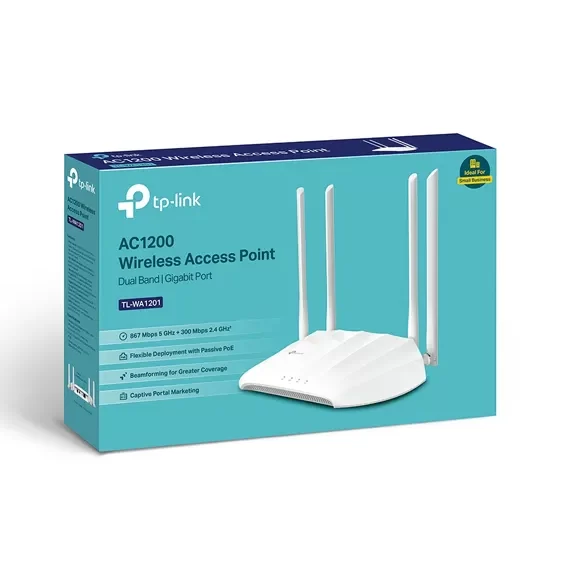

TP Link Wireless Access Point in Qatar
If your organization is planning to roll out fast, secure, and scalable Wi‑Fi across offices, showrooms, malls, warehouses, schools, clinics, hotels, or villas in Qatar, TP Link Wireless Access Point (WAP) portfolio is one of the best value‑for‑money options on the market. This long‑form guide explains what a TP‑Link Wireless Access Point is, how it works, the benefits and features you can expect, popular use cases in Qatar, and how Axle Systems can help you design, supply, install, and support a professional‑grade Wi‑Fi network end‑to‑end.
What is a TP Link Wireless Access Point?
A wireless access point (WAP) is a networking device that connects to your wired network (switch or router) and broadcasts Wi‑Fi so that laptops, smartphones, tablets, printers, smart TVs, POS terminals, IP cameras, and IoT devices can connect wirelessly. TP‑Link offers two main families:
- Omada Business Access Points (EAP Series) – enterprise features with cloud management (Omada SDN), suitable for multi‑site or large single‑site deployments.
- SOHO / SMB Access Points & Extenders – simple, single‑AP deployments and small offices or villas, ideal where you want quick coverage with minimal configuration.
With TP‑Link, you can start small with a few units and scale to hundreds of access points under one pane of glass using Omada SDN (Software‑Defined Networking) for configuration, monitoring, updates, and automation.
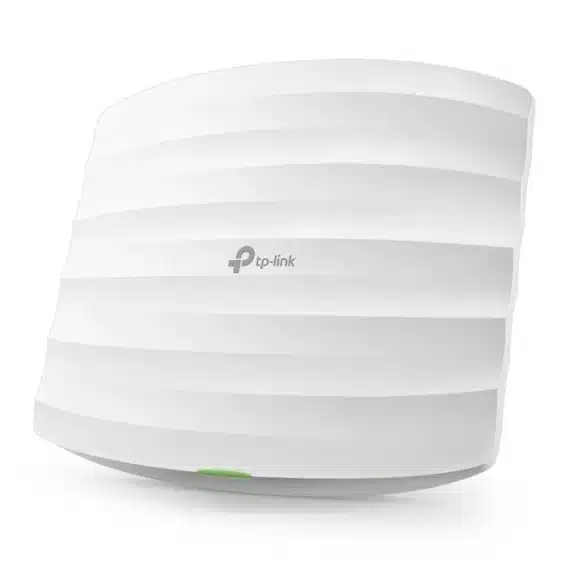
Why Choose Tp Link Wireless Access Point for Projects in Qatar?
- Performance per Riyal: Strong radio performance, modern Wi‑Fi standards, and robust feature sets at competitive prices.
- Omada Cloud Management: Centralized configuration, zero‑touch provisioning, AI‑assisted RF optimization, and rich analytics.
- Wide Portfolio: Indoor ceiling‑mount, wall‑plate, in‑wall, outdoor weatherproof, and high‑density models to match every scenario.
- Smooth Roaming: 802.11k/v/r fast roaming helps users walk between APs without dropping voice or video calls.
- Security First: WPA3‑Enterprise, guest isolation, VLANs, ACLs, RADIUS integration, and multiple SSIDs for segmented access.
- Open Integrations: Captive portal options (Omada, external portal/RADIUS), DHCP Option 138, and APIs to integrate with existing systems.
- Proven in the Region: Widely deployed across GCC SMB and enterprise projects with good supply availability and local support via Axle Systems.
Key Benefits of TP Link Wireless Access Point
1) Reliable High-Speed Wi-Fi
One of the most important reasons to choose Tp Link Wireless Access Point is the consistent and reliable high-speed connectivity. With models supporting Wi-Fi 5, Wi-Fi 6, and even Wi-Fi 6E, businesses get future-ready performance.
- Higher Throughput: Whether you are running a corporate office, retail store, or hotel, TP-Link APs deliver multi-gigabit wireless speeds. This ensures smooth performance for modern applications such as video conferencing, cloud-based ERP systems, CRM platforms, and multimedia streaming.
- Better Device Concurrency: Modern access points are designed to handle dozens to hundreds of devices simultaneously. With OFDMA and MU-MIMO technologies, each client gets a fair share of bandwidth without congestion, even in busy environments like shopping malls or event halls.
- Low Latency: Features like beamforming and advanced QoS (Quality of Service) help reduce latency, making them ideal for real-time applications such as Zoom/Teams calls, remote medical consultations, and online classrooms.
- Real-World Example in Qatar: A retail showroom in Doha with high customer footfall can deploy Tp Link Wireless Access Point Wi-Fi 6 access points to ensure seamless payment transactions, uninterrupted digital signage updates, and smooth guest Wi-Fi connectivity—all at the same time.
2) Centralized, Cloud-Native Management (Omada SDN)
Managing wireless networks across multiple sites is simplified with Omada SDN (Software Defined Networking), Tp Link Wireless Access Point cloud management platform.
- One-Click Deployment: Configure once and apply to multiple access points across different branches in Qatar—ideal for banks, clinics, and retail chains.
- Real-Time Monitoring: IT teams can monitor AP health, client numbers, bandwidth usage, and traffic patterns with dashboards and detailed reports.
- Proactive Alerts: Receive instant notifications if an AP goes offline or experiences unusual traffic spikes, ensuring quicker troubleshooting.
- Scheduled Updates: Firmware updates and configuration backups can be automated, reducing the need for on-site visits and lowering operational costs.
- Example Use Case: A hospital with multiple branches in Qatar can manage all APs from a central IT office, ensuring standard security policies, SSID structures, and guest access protocols across every location.
3) Seamless Roaming & Consistent User Experience
End-users expect uninterrupted connectivity, especially when they are moving around large premises.
- Seamless Roaming: With 802.11k/v/r support, users can move between access points without losing video calls, live streams, or app sessions.
- Smart Band Steering: Clients are automatically guided to the best band (2.4 GHz, 5 GHz, or 6 GHz) based on signal strength and congestion.
- Load Balancing: Prevents overcrowding of one AP by intelligently distributing clients across nearby APs.
- Example in Hospitality: Guests moving from their hotel room to the lobby café in a Doha hotel can continue their WhatsApp call or YouTube stream without interruption.
4) Enterprise-Grade Security Made Simple
Cybersecurity is a key concern in modern businesses, and TP-Link APs deliver enterprise-level protections out of the box.
- Advanced Encryption: WPA2/WPA3-Enterprise security with 802.1X/RADIUS authentication ensures only authorized staff and devices connect.
- Guest Network Isolation: Guest SSIDs can be fully separated from staff networks, ensuring sensitive business data remains secure.
- Customizable Captive Portal: Add vouchers, login credentials, or social media login for customer engagement and regulatory compliance.
- Network Segmentation: VLANs and ACLs allow businesses to separate finance systems, staff networks, guest Wi-Fi, and IoT devices.
- Example in Clinics: A private clinic in Qatar can separate Wi-Fi for doctors, patients, and connected medical equipment, ensuring HIPAA-like confidentiality and reducing cyber risks.
5) Flexible Form Factors & Power Options
Not all environments are the same, and Tp Link Wireless Access Point variety of AP designs makes it easy to match the right hardware to the right location.
- Ceiling-Mount Units: Ideal for corporate offices, schools, and malls with wide open spaces.
- In-Wall and Wall-Plate APs: Perfect for hotel rooms, serviced apartments, and villas where each room needs individual coverage with Ethernet pass-through.
- Outdoor APs: Weatherproof models with IP65/IP67 ratings are designed for courtyards, stadiums, and car parks in Qatar’s hot climate.
- PoE/PoE+ Compatibility: Simplifies cabling by providing power and data over one Ethernet cable—especially useful in locations where running electrical wiring is difficult.
- Practical Example: A villa compound in Doha can use ceiling APs indoors and outdoor IP-rated APs for the garden and pool area, all powered via PoE from a central switch.
6) Lower TCO and Easier Scaling
When businesses evaluate networking solutions, total cost of ownership (TCO) and scalability are critical factors. Tp Link Wireless Access Point offers excellent value.
- Affordable Hardware: Compared to premium enterprise brands, Tp Link Wireless Access Point delivers similar performance at a fraction of the cost.
- Reduced Operational Costs: Cloud management reduces the need for dedicated on-site IT staff for each location.
- Scalable Architecture: Businesses can start with a single AP and scale to hundreds across multiple branches—all managed from one central platform.
- Future-Proof Investment: As Wi-Fi standards evolve, Tp Link Wireless Access Point continues to update its portfolio and firmware, allowing smooth transitions.
- Example in Retail Chains: A fashion retail chain in Qatar can start with Tp Link Wireless Access Point in one store and gradually expand coverage to 20+ outlets, all under one cloud controller, without replacing the existing hardware.

Features of TP Link Wireless Access Point
TP Link Wireless Access Point are built with advanced features that make them ideal for modern business, hospitality, education, and enterprise environments. Whether used indoors or outdoors, these devices deliver reliable Wi-Fi coverage, security, and centralized management. Below are some of the most important features explained in detail:
1. Latest Wi-Fi Standards (Wi-Fi 5/6/6E) with High Throughput
TP Link offers models that support the latest wireless standards, including Wi-Fi 5 (802.11ac), Wi-Fi 6 (802.11ax), and even Wi-Fi 6E for ultra-fast performance. Wi-Fi 6/6E provides higher throughput, lower latency, and improved efficiency in high-density environments like offices, schools, or shopping malls. With technologies like OFDMA and MU-MIMO, Tp Link Wireless Access Point points can serve multiple devices simultaneously without congestion.
2. Dual-Band and Tri-Band Options for Greater Capacity
Tp Link Wireless Access Point are available in dual-band (2.4GHz + 5GHz) and tri-band (2.4GHz + two 5GHz or 6GHz) options. This flexibility allows businesses to handle more users and devices by balancing the load across bands. For example, video conferencing traffic can be placed on 5GHz, while basic browsing remains on 2.4GHz, ensuring smooth operations.
3. Omada SDN Compatibility (Cloud/Hardware/Software Controller Options)
Most enterprise-grade Tp Link Wireless Access Point are part of the Omada Software Defined Networking (SDN) ecosystem. This means they can be centrally managed through cloud-based controllers, hardware controllers, or software controllers. Administrators can monitor network health, apply updates, and configure multiple access points from a single interface — perfect for multi-branch businesses or large campuses.
4. Power over Ethernet (PoE) Support for Simplified Installation
TP Link Wireless Access Point supports PoE (Power over Ethernet), which allows both power and data to be transmitted through a single Ethernet cable. This eliminates the need for additional power adapters, making installation flexible and cost-effective — especially in areas where electrical outlets are limited.
5. Seamless Roaming (802.11k/v/r)
For environments where users move between different zones, such as hospitals, hotels, or office floors, Tp Link Wireless Access Point supports 802.11k/v/r seamless roaming. This ensures that devices automatically switch to the access point with the strongest signal without dropping calls or disconnecting during video conferences.
6. Multiple SSIDs with VLAN Mapping
Businesses can create multiple SSIDs (network names) and map them to VLANs (Virtual LANs). For example, a hotel may set up one SSID for staff, another for guests, and a third for IoT devices — all isolated from each other to enhance security and performance.
7. Captive Portal with Vouchers and Social Login
Tp Link Wireless Access Point features captive portal functionality, which is essential for businesses like cafés, airports, and malls. Guests can be redirected to a login page where they can authenticate using vouchers, SMS codes, or social media accounts. This not only improves security but also allows businesses to promote branding and collect valuable customer insights.
8. Guest Network Isolation
To protect internal systems, Tp Link Wireless Access Point allow the creation of isolated guest networks. This ensures visitors can browse the internet safely without accessing private company data or internal resources. Guest isolation is a must-have feature for hospitality, retail, and corporate environments.
9. Load Balancing and Band Steering
TP Link Wireless Access Point intelligently manages users across available frequency bands through load balancing and band steering. This prevents network congestion by automatically shifting devices to less crowded bands, ensuring stable performance for all users.
10. Application Visibility and QoS
With Application Visibility and Quality of Service (QoS) features, administrators can monitor what applications are consuming bandwidth and prioritize critical traffic. For example, business applications like Zoom or Microsoft Teams can be given higher priority than streaming or gaming traffic, ensuring reliable performance for mission-critical tasks.
11. Rogue AP Detection and Alerts
Security is a major concern in wireless networks. Tp Link Wireless Access Point includes rogue AP detection to identify and alert administrators about unauthorized access points within the network range. This prevents hackers from setting up fake APs to steal sensitive data.
12. Outdoor Weatherproof Models with IP65/IP67 Ratings
For outdoor deployments, TP Link provides weatherproof access points with IP65/IP67 ratings. These models are dustproof, water-resistant, and capable of withstanding harsh weather conditions such as rain, wind, or extreme heat — making them suitable for outdoor campuses, stadiums, or industrial facilities.
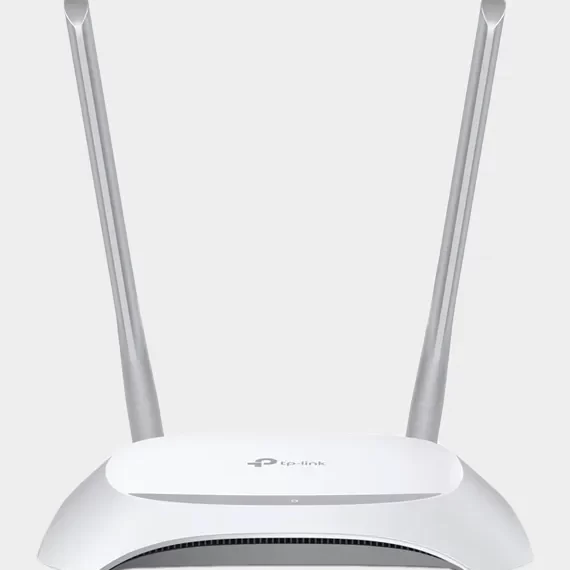
Uses of TP Link Wireless Access Point in Qatar
TP Link Wireless Access Point is widely used across different sectors in Qatar due to their reliability, scalability, and advanced networking capabilities. Whether it’s for a small café, a large corporate office, or an outdoor public space, these devices provide seamless internet access and improve connectivity experiences. Below are some of the key applications of TP Link Wireless Access Point in Qatar:
1. Corporate Offices and Enterprises
In Qatar’s fast-growing business sector, companies require uninterrupted and high-speed wireless networks to support day-to-day operations. Tp Link Wireless Access Point provide:
- Seamless roaming between meeting rooms, floors, or buildings.
- Multiple SSIDs and VLANs to segment employee, management, and guest networks securely.
- Omada SDN management to centrally control access points across different branch offices in Doha or other cities.
This ensures that employees remain productive, business applications run smoothly, and sensitive data stays secure.
2. Educational Institutions
Schools, colleges, and universities in Qatar rely on TP Link Wireless Access Point to deliver digital learning experiences. Benefits include:
- High-density coverage in lecture halls, libraries, and student hostels.
- Guest Wi-Fi with captive portal login for students and staff.
- Support for e-learning platforms, video lectures, and online assessments without interruptions.
3. Retail Stores and Shopping Malls
Qatar’s retail industry benefits significantly from TP-Link Wi-Fi solutions. Wireless Access Points support:
- Customer Wi-Fi hotspots to increase engagement and dwell time.
- Captive portals with social media login or vouchers for marketing and promotions.
- Application visibility and QoS to prioritize point-of-sale (POS) systems and prevent disruptions.
This enhances customer experience while also helping retailers collect valuable customer insights.
4. Hospitality Industry – Hotels, Restaurants, and Cafés
In Qatar’s hospitality sector, providing fast and reliable Wi-Fi has become a necessity:
- Tp Link Wireless Access Point ensures full coverage in hotel lobbies, guest rooms, and conference halls.
- Guest isolation and captive portals enhance security and enable controlled guest access.
- Restaurants and cafés use them for offering customer Wi-Fi while maintaining a secure internal business network.
5. Healthcare Facilities
Hospitals and clinics in Qatar use TP Link Wireless Access Point to streamline healthcare operations:
- Doctors and nurses can access electronic medical records (EMR) on tablets or mobile devices.
- Patients and visitors can use guest Wi-Fi networks without interfering with hospital systems.
- High-capacity models ensure reliable connectivity even in busy hospital lobbies and waiting areas.
6. Government Offices and Public Services
Government offices in Qatar deploy Tp Link Wireless Access Point to:
- Provide secure staff networks with role-based access.
- Enable citizen Wi-Fi services in public waiting areas.
- Manage multiple branches with centralized cloud-based management via TP Link Omada.
7. Outdoor Public Wi-Fi
Outdoor TP Link models with IP65/IP67 weatherproof ratings are perfect for Qatar’s climate. They are widely used for:
- Public Wi-Fi in parks, stadiums, and tourist spots.
- Event venues such as exhibitions and sports arenas.
- Providing connectivity in construction sites or temporary outdoor offices.
8. Airports and Transportation Hubs
In busy locations like Hamad International Airport or major bus terminals, TP Link Wireless Access Point provide:
- Seamless coverage for passengers across lounges, terminals, and boarding areas.
- Load balancing and band steering to manage high-density user traffic.
- Captive portals for advertising and passenger engagement.
9. Industrial and Warehouse Environments
Manufacturing units, logistics facilities, and warehouses in Qatar rely on Tp Link Wireless Access Point for:
- Reliable Wi-Fi coverage across large warehouses.
- Connectivity for barcode scanners, handheld devices, and IoT systems.
- Support for rugged operations with outdoor/industrial-grade models.
10. Smart Homes and Villas
With Qatar’s growing adoption of smart home solutions, Tp Link Wireless Access Point are a great choice for:
- Extending Wi-Fi coverage across large villas and multi-story homes.
- Ensuring smooth streaming, gaming, and video calls.
- Connecting smart devices such as CCTV cameras, smart locks, and IoT appliances.
Axle Systems: Your Trusted Partner in Qatar
Axle Systems is more than just a supplier; we are a dedicated IT & telecom system integrator committed to providing comprehensive networking solutions to businesses and organizations in Qatar. As a leading supplier of TP Link Wireless Access Point, we offer a range of products tailored to your specific needs, supported by our expert guidance and technical support.
Why Choose Axle Systems?
- Local Expertise: With a deep understanding of the Qatari market, we offer solutions that are perfectly suited to the local business and regulatory environment.
- End-to-End Solutions: From initial consultation and network design to installation, configuration, and ongoing maintenance, we provide a complete, turn-key service.
- Dedicated Support: Our team of certified professionals is available to provide on-site and remote support, ensuring your network operates smoothly and efficiently at all times.
- Partnership Approach: We believe in building long-term relationships with our clients, providing proactive recommendations and scaling our solutions as your business grows.
Contact Axle Systems Today
Ready to transform your network with TP Link Wireless Access Point? Contact our team of experts at Axle Systems to discuss your needs and discover the perfect solution for your home or business.
Axle Systems Contact Details:
- Phone: +974 4468 2391, +974 7744 3731
- Email: info@axlesys.com
- Website: www.axlesys.com
- Address: P.O. Box 200081, Al Khalidiya Street, Najma, Doha, Qatar
Common FAQs About TP Link Wireless Access Points
Q1: What is the difference between a Wireless Access Point and a Wi-Fi Extender?
A Wi-Fi Extender (or repeater) wirelessly connects to your existing router’s signal and rebroadcasts it. This can lead to a reduced signal strength and speed. A Wireless Access Point, on the other hand, connects to your router via an Ethernet cable and creates a new, strong, and stable Wi-Fi network, providing faster speeds and better performance.
Q2: Do I need a controller to manage my Tp Link Wireless Access Point?
For basic functionality, you can manage each Tp Link Wireless Access Point in standalone mode. However, for a centralized management solution with advanced features like seamless roaming, captive portal, and network topology mapping, a hardware or software Omada Controller is recommended.
Q3: Can I use an AP with a non-TP Link router?
Yes, TP Link Wireless Access Point can be connected to any standard router via an Ethernet cable to extend the wireless network. They are designed to be compatible with a wide range of networking devices.
Q4: How many access points do I need for my building?
The number of access points required depends on factors such as the size of the area, the number of users and devices, the building’s layout, and the materials used in construction. A professional site survey conducted by Axle Systems can help determine the ideal number and placement of APs for optimal coverage.
Q5: Do Tp Link Wireless Access Point support Power over Ethernet (PoE)?
Yes, most TP Link business-class access points support PoE, which allows them to be powered directly through the Ethernet cable from a compatible switch or injector. This greatly simplifies installation and deployment in areas without a nearby power outlet.
Q6: Are Tp Link Wireless Access Point secure?
Yes, Tp Link Wireless Access Point supports the latest security protocols, including WPA3 encryption. They also offer features like guest networks, VLAN tagging, and advanced firewall capabilities to ensure your network is protected from unauthorized access.
Conclusion
TP Link Wireless Access Point offers a robust, scalable, and cost-effective solution for anyone looking to improve their Wi-Fi network. By providing enhanced coverage, faster speeds, and advanced security, these devices are an essential component of modern homes and businesses. As a trusted supplier of TP Link products in Qatar, Axle Systems is here to provide you with the perfect networking solution, from selection and installation to long-term support. Contact us today to learn how we can help you build a network that is ready for the future.