

Conference Room Audiovisual Systems
In today’s fast-paced corporate environment, effective communication is the backbone of successful organizations. Whether it’s strategic decision-making, client presentations, training sessions, or hybrid team collaboration, modern businesses depend heavily on advanced meeting spaces. This is where Conference Room Audiovisual (AV) Systems play a transformative role.
Conference Room Audiovisual Systems combine high-quality audio, video, display, and control technologies to create seamless communication environments. From small meeting rooms to executive boardrooms and large training halls, AV systems empower organizations to conduct meetings with clarity, professionalism, and efficiency.
As a leading supplier and integrator, Axle Systems delivers state-of-the-art Conference Room Audiovisual Systems tailored to diverse business needs across Qatar and the GCC region.
What Are Conference Room Audiovisual Systems?
Conference Room Audiovisual Systems are integrated technology solutions designed to facilitate communication and collaboration in meeting environments. These systems combine multiple AV components such as:
- Video conferencing cameras
- Microphones and speakers
- Interactive displays or projectors
- Presentation systems
- Control panels
- Wireless sharing tools
Together, they enable organizations to conduct professional meetings — both in-person and remote — with crystal-clear sound and high-definition visuals. Modern AV systems are designed to support hybrid work environments, allowing remote participants to engage as effectively as those physically present.
Key Components of Conference Room Audiovisual Systems
A professional AV setup includes multiple integrated technologies working together.
1. Display Systems
Visual display is the focal point of any conference room.
Common display solutions include:
- LED/LCD displays
- Video walls
- Laser projectors
- Interactive flat panels
High-resolution displays ensure presentations, charts, and video calls appear sharp and engaging.
2. Video Conferencing Cameras
Modern conference cameras offer:
- HD and 4K resolution
- Auto-framing
- Speaker tracking
- PTZ (Pan-Tilt-Zoom) control
These intelligent cameras automatically focus on speakers, improving engagement and communication clarity.
3. Audio Systems
Audio clarity is critical for productive meetings.
Key audio components:
- Ceiling speakers
- Tabletop microphones
- Beamforming mic arrays
- Digital Signal Processors (DSP)
Advanced features include echo cancellation, noise reduction, and automatic gain control — ensuring consistent sound levels.
4. Wireless Presentation Systems
Wireless sharing eliminates cable clutter and allows participants to present instantly from:
- Laptops
- Tablets
- Smartphones
This improves meeting efficiency and reduces setup time.
5. AV Control Systems
Centralized control panels allow users to manage:
- Displays
- Lighting
- Audio levels
- Video conferencing
- Source switching
Touch panels simplify system operation with one-touch meeting start.
6. Room Scheduling Panels
Digital booking displays outside meeting rooms show:
- Availability status
- Upcoming meetings
- Organizer details
They integrate with calendar platforms for automated scheduling.
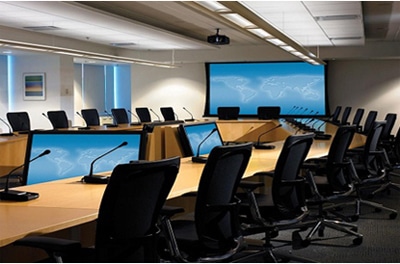
Features of Conference Room Audiovisual Systems
Modern Conference Room Audiovisual Systems are designed to transform ordinary meeting spaces into intelligent collaboration hubs. With rapid advancements in communication technology, AV systems now incorporate automation, artificial intelligence, cloud connectivity, and immersive presentation capabilities.
Below is an in-depth expansion of the key features that define a professional conference room AV solution.
1. High-Definition & Ultra-HD Video Quality
One of the most essential features of any Conference Room Audiovisual Systems is superior video quality. Crystal-clear visuals enhance engagement, reduce misunderstandings, and create a professional meeting environment.
Key Capabilities
- Full HD (1080p) resolution for standard conferencing
- 4K Ultra HD for premium boardrooms
- HDR (High Dynamic Range) imaging
- Wide color gamut for accurate visuals
- Low-latency video transmission
High-definition video ensures that facial expressions, gestures, charts, and presentation details are clearly visible to all participants — both in-room and remote.
2. Intelligent Auto-Framing Cameras
AI-powered camera automation has revolutionized video conferencing.
Smart Camera Features
- Auto-framing: Detects participants and adjusts the frame automatically
- Speaker tracking: Focuses on the active speaker
- Group framing: Balances all participants within the shot
- Facial recognition positioning
- Motion tracking
These features eliminate the need for manual camera control and ensure remote attendees stay visually connected to the conversation.
3. Advanced Audio Processing Technology
Clear audio is even more critical than video in meetings. Modern Conference Room Audiovisual Systems use Digital Signal Processing (DSP) to optimize sound quality.
Audio Enhancement Features
- Acoustic echo cancellation
- Background noise suppression
- Automatic gain control
- Feedback elimination
- Voice leveling
- Sound masking options
This ensures every voice is heard clearly, regardless of seating position.
4. Beamforming Microphone Technology
Beamforming microphones are designed to capture voices precisely while ignoring ambient noise.
Benefits
- Directional voice pickup
- 360-degree coverage
- Ceiling-mounted clutter-free design
- Automatic speaker detection
Ideal for executive boardrooms and large conference spaces.
5. Wireless Screen Sharing & Presentation
Wireless collaboration is now a standard expectation in meeting rooms.
Key Features
- One-click content sharing
- BYOD (Bring Your Own Device) compatibility
- Multi-user simultaneous sharing
- Split-screen comparison display
- Guest presenter access
Participants can present from laptops, tablets, or smartphones without HDMI cables — improving meeting efficiency.
6. Multi-Platform Video Conferencing Integration
Conference Room Audiovisual Systems integrate seamlessly with leading collaboration platforms.
Supported Platforms
- Zoom Rooms
- Microsoft Teams Rooms
- Google Meet
- Cisco Webex
- BlueJeans
- GoToMeeting
This allows organizations to standardize communication tools while maintaining hardware flexibility.
7. Touch Panel & Centralized Control Systems
User-friendly control interfaces simplify AV operations.
Control System Features
- One-touch meeting start
- Source switching
- Volume control
- Camera presets
- Lighting adjustment
- Screen control
Touch panels may be wall-mounted or placed on conference tables for quick access.
8. Room Automation & Smart Integration
Automation enhances convenience and energy efficiency.
Automation Functions
- Auto system power-on when meeting starts
- Motorized screen deployment
- Lighting dimming presets
- Curtain/blind control
- HVAC integration
Smart rooms adjust automatically based on meeting mode — presentation, discussion, or video conferencing.
9. Interactive Collaboration Tools
Interactive technologies promote engagement and teamwork.
Collaboration Features
- Digital whiteboarding
- Live annotation
- Document markup
- Brainstorming canvases
- Real-time co-editing
These tools are widely used in training, design reviews, and strategy workshops.
10. Multi-Display & Content Distribution
Advanced conference rooms often utilize multiple displays.
Display Configurations
- Dual presentation screens
- Presenter + participant view
- Confidence monitors
- Video wall integration
Content can be distributed simultaneously across multiple screens for improved visibility.
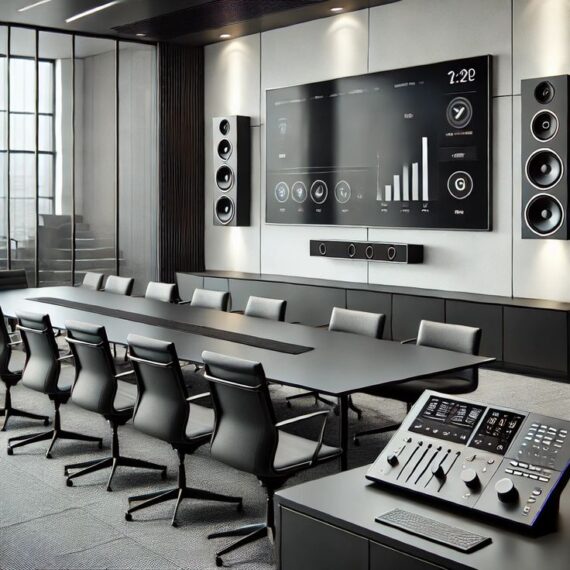
Uses of Conference Room Audiovisual Systems
Conference Room Audiovisual Systems are no longer limited to basic meetings. They have evolved into multi-functional communication and collaboration platforms used across industries for a wide range of operational, strategic, and client-facing activities.
Organizations today rely on advanced AV environments to connect people, share knowledge, improve productivity, and support hybrid work cultures. Below is a comprehensive expansion of the major uses and applications of Conference Room Audiovisual Systems.
1. Corporate Boardroom Meetings
One of the most prominent uses of Conference Room Audiovisual Systems is within executive boardrooms.
Key Applications
- Strategic planning sessions
- Financial performance reviews
- Investor presentations
- Executive decision-making meetings
- Annual general meetings (AGMs)
High-definition displays, premium audio systems, and video conferencing tools ensure that leadership teams can communicate effectively — even with stakeholders joining remotely.
Boardrooms often feature:
- Large video walls
- Integrated control automation
- Secure conferencing platforms
- Presentation switching systems
These technologies create a professional and data-driven decision environment.
2. Hybrid & Remote Team Collaboration
With the rise of hybrid work, Conference Room Audiovisual Systems have become essential for connecting in-office and remote employees.
Common Uses
- Daily stand-up meetings
- Project collaboration sessions
- Remote team briefings
- Cross-regional coordination
Features like auto-framing cameras, ceiling microphones, and wireless content sharing ensure remote participants feel equally involved.
Benefits include:
- Reduced travel needs
- Faster communication
- Increased workforce flexibility
3. Client Presentations & Sales Meetings
First impressions matter — especially in client-facing environments.
Conference Room Audiovisual Systems are widely used for:
- Product demonstrations
- Proposal presentations
- Sales pitches
- Contract negotiations
- Partnership discussions
Advanced visuals, immersive audio, and interactive displays help organizations present ideas persuasively and professionally.
Sales teams can showcase:
- 3D designs
- Product videos
- Real-time analytics dashboards
This enhances client engagement and trust.
4. Training & Development Programs
Corporate training rooms rely heavily on audiovisual technology.
Training Applications
- Employee onboarding
- Technical workshops
- Compliance training
- Leadership development
- Software training sessions
AV tools such as interactive displays, wireless presentation systems, and lecture recording enable trainers to deliver impactful sessions.
Recorded sessions can be archived for:
- Future reference
- E-learning portals
- Certification programs
5. Educational & Academic Institutions
Educational institutions deploy Conference Room Audiovisual Systems for administrative and academic purposes.
Common Uses
- Faculty meetings
- Virtual classrooms
- Guest lectures
- Research collaborations
- Thesis defenses
Interactive whiteboards and lecture capture systems enhance teaching effectiveness and enable remote learning participation.
Universities also use AV conferencing for international academic partnerships and joint research initiatives.
6. Government & Public Sector Administration
Government entities use Conference Room Audiovisual Systems for secure communication and policy coordination.
Applications Include
- Inter-departmental meetings
- Policy planning discussions
- Budget reviews
- Public service coordination
- Crisis management briefings
Secure video conferencing ensures confidential discussions remain protected while enabling communication across multiple locations.
Large government conference halls may include:
- Delegate microphone systems
- Simultaneous interpretation systems
- Voting and polling tools
7. Healthcare & Medical Facilities
Healthcare institutions utilize AV conferencing for both clinical and administrative functions.
Medical Uses
- Telemedicine consultations
- Remote diagnostics discussions
- Surgical training sessions
- Medical board meetings
- Continuing medical education (CME)
Doctors can collaborate across hospitals, share imaging reports, and discuss treatment plans in real time.
Training hospitals also use Conference Room Audiovisual Systems to broadcast live surgeries for educational purposes.
8. Legal & Judicial Environments
Law firms and judicial institutions depend on secure and high-quality conferencing systems.
Legal Applications
- Client consultations
- Case strategy meetings
- Remote witness testimonies
- Arbitration hearings
- Evidence presentations
High-resolution displays allow legal teams to review documents, video evidence, and case files collaboratively.
Courtrooms may also use recording systems for legal documentation and compliance.
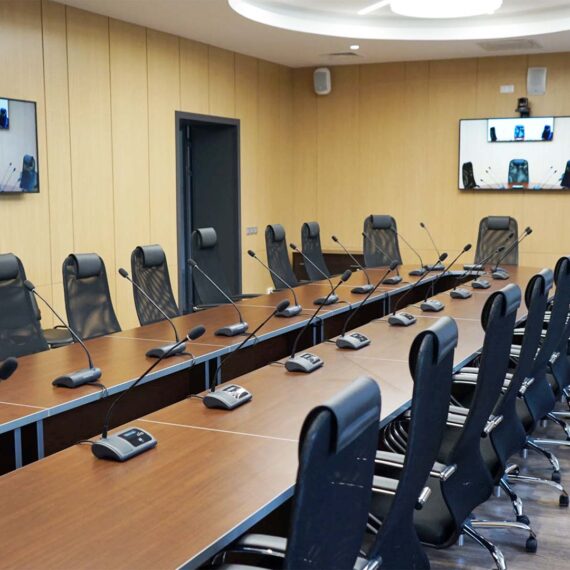
Why Choose Axle Systems for Conference Room AV Solutions
When it comes to designing, supplying, and implementing Conference Room Audiovisual Systems, choosing the right partner is crucial. A well-integrated Conference Room Audiovisual Systems not only enhances communication but also reflects your organization’s professionalism and operational efficiency. Axle Systems stands out as a trusted technology partner, offering end-to-end solutions tailored to the unique needs of businesses, government entities, educational institutions, and other organizations across Qatar and the GCC region.
Below is a detailed overview of why organizations consistently choose Axle Systems for their conference room AV needs.
1. Expertise in Conference Room Audiovisual Systems Design & Integration
Axle Systems has extensive experience in designing conference room AV solutions that are both high-performing and user-friendly. Our engineers consider every aspect of the room environment, including:
- Room size and acoustics
- Seating arrangement
- Lighting and display angles
- Integration with IT networks
- Future scalability
We create fully customized layouts that ensure optimal audio clarity, video quality, and user experience. Our approach ensures that Conference Room Audiovisual Systems are not just functional but also intuitive for users of all technical skill levels.
2. End-to-End AV Solutions
Unlike suppliers who only provide equipment, Axle Systems delivers complete solutions, covering every stage of the project:
- Requirement Analysis: Understanding your organizational needs, room layouts, and expected usage.
- System Design: Tailoring the AV architecture to maximize performance and reliability.
- Equipment Supply: Sourcing industry-leading products from globally recognized brands.
- Installation: Professional setup with meticulous attention to cabling, mounting, and room integration.
- Integration: Connecting the AV system with collaboration software, automation tools, and enterprise networks.
- Testing & Commissioning: Ensuring all components function seamlessly before handover.
- Training & Support: Educating end-users for smooth adoption and offering ongoing maintenance services.
This holistic approach guarantees that your conference room Conference Room Audiovisual Systems performs reliably from day one.
3. Access to Premium Global Brands
Axle Systems partners with world-class AV manufacturers, ensuring your system uses the most reliable and advanced technology available.
Our solutions incorporate:
- High-definition video displays
- AI-enabled cameras for smart tracking
- Beamforming microphones for crystal-clear audio
- Wireless presentation systems for BYOD compatibility
- Centralized control panels for simplified operation
By leveraging industry-leading brands, we ensure durability, superior performance, and low maintenance costs.
4. Customized Solutions for Every Industry
Different industries have unique conferencing needs. Axle Systems has successfully implemented solutions across:
- Corporate boardrooms: For strategic planning and client presentations.
- Educational institutions: For virtual classrooms and training sessions.
- Government agencies: For secure multi-location communication.
- Healthcare facilities: For telemedicine and remote consultations.
- Hospitality & hotels: For event hosting and corporate seminars.
- Airports and logistics: For operations coordination and training.
Our team understands industry-specific compliance, security, and operational requirements, ensuring your system is fully tailored.
5. Expert Installation & Professional Services
Our certified technicians and engineers handle all aspects of system deployment, from structured cabling to equipment calibration.
Key services include:
- Precise camera and microphone placement for optimal coverage
- Professional mounting of displays, projectors, and interactive panels
- Integration of AV, lighting, and automation systems
- Testing and calibration for audio, video, and network performance
We ensure the system is not only installed correctly but optimized for maximum efficiency.
6. Post-Installation Support & Maintenance
Axle Systems offers comprehensive support packages to keep your Conference Room Audiovisual Systems operating flawlessly.
- Routine maintenance and preventive inspections
- Remote monitoring of system health
- Firmware and software updates
- Rapid on-site troubleshooting
- Spare parts replacement
This proactive support ensures minimal downtime and extends the life of your AV investment.
7. Training & User Enablement
A high-tech system is only valuable if users can operate it efficiently. Axle Systems provides hands-on training for your staff, including:
- Using control panels and touch interfaces
- Starting and joining video conferences
- Sharing content wirelessly
- Adjusting audio and lighting settings
This ensures meetings are smooth, professional, and productive from day one.
8. Focus on Scalability & Future-Proofing
Business needs change, and technology evolves rapidly. Axle Systems designs Conference Room Audiovisual Systems with future expansion in mind:
- Easily add new displays, microphones, or cameras
- Scale systems across multiple rooms or campuses
- Integrate emerging technologies such as AI-assisted video, collaboration software, and AV over IP networks
This future-ready approach protects your investment and keeps your conference rooms adaptable for years to come.
9. Proven Track Record & Client Satisfaction
Axle Systems has successfully delivered numerous AV projects across Qatar and the GCC, earning a reputation for:
- On-time project delivery
- High-quality installations
- Exceptional customer service
- Reliable post-installation support
Our client portfolio includes corporations, government entities, educational institutions, healthcare facilities, and hospitality providers. Their continued trust underscores our commitment to excellence.
10. Why Axle Systems Stands Out
To summarize, organizations choose Axle Systems because we offer:
- End-to-end, turnkey solutions
- Industry expertise and certified engineers
- Access to premium, globally trusted AV brands
- Customized systems for every room and industry
- Professional installation and integration services
- Proactive maintenance and support
- Training for seamless adoption
- Scalable, future-proof designs
With Axle Systems, conference rooms transform into state-of-the-art collaboration hubs that drive efficiency, enhance communication, and create lasting impressions.
Contact Details – Axle Systems
Company Name: Axle Systems
Location: Al Khalidiya Street, Najma, Doha, Qatar
Phone: +974 44682391/77443731
Email: info@axlesys.com
Website: www.axlesys.com
Frequently Asked Questions (FAQ)
Q1: What is a Conference Room Audiovisual System?
An integrated solution combining audio, video, and control technologies to enable professional meetings.
Q2: What equipment is included?
Displays, cameras, microphones, speakers, control panels, and wireless sharing systems.
Q3: Can Conference Room Audiovisual Systems support hybrid meetings?
Yes. They integrate with video conferencing platforms for remote collaboration.
Q4: Are wireless presentations secure?
Yes. Enterprise systems include encryption and access control.
Q5: How long does installation take?
Typically 2–6 weeks depending on room size and complexity.
Q6: Do Conference Room Audiovisual Systems require training?
Basic training is provided; modern systems are user-friendly.
Q7: Can systems be expanded later?
Yes. AV over IP enables scalable expansion.
Q8: What maintenance is required?
Routine inspections, firmware updates, and hardware servicing.
Q9: Are Conference Room Audiovisual Systems suitable for small rooms?
Absolutely. Scalable solutions exist for huddle spaces.
Q10: Why choose Axle Systems?
Because of proven expertise, certified engineers, and end-to-end support.

Conclusion
In the modern corporate, educational, and government landscape, effective communication is no longer a luxury—it is a necessity. Conference Room Audiovisual Systems have become an integral part of how organizations connect, collaborate, and make informed decisions. These systems are far more than just projectors, microphones, or displays; they are comprehensive communication ecosystems that bring together audio, video, collaboration tools, automation, and network integration into a seamless experience.
By implementing a professional Conference Room Audiovisual Systems, organizations unlock a wide array of benefits. Meetings become more productive, remote and hybrid teams are fully engaged, presentations are visually compelling, and decisions can be made faster with clear information sharing. From small huddle rooms to expansive boardrooms, the right AV setup ensures every participant can contribute meaningfully, whether they are physically present or joining remotely.